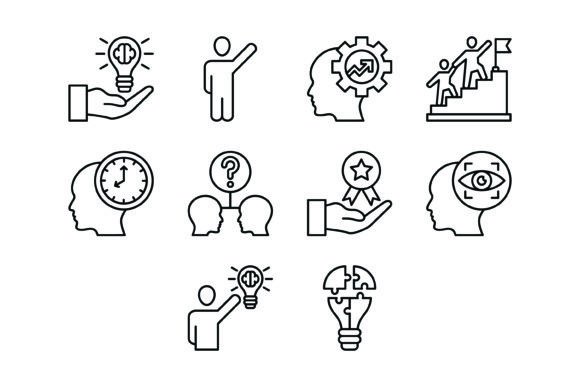
10 Leadership Outline Icons Bundle: Visual Clarity for Your Brand
When you're building a brand, managing a project, or designing a presentation, clarity isn't just nice to have—it's everything. A message gets lost in clutter. A concept feels fuzzy without the right visual anchor. That's where a thoughtful set of design assets comes into play, moving beyond decoration to become a core part of your communication strategy. The 10 Leadership Outline Icons Bundle is a collection built with this principle in mind, offering a clean, versatile toolkit for anyone who needs to convey complex ideas with instant visual recognition.
This isn't just another generic icon pack. Each of the ten icons—Idea, Raise Hand, Motivation, Leadership, Time Management, Decision, Award, Vision, Thinking, and Puzzle—has been crafted with a specific, modern aesthetic. The line-weight is consistent, the forms are balanced, and the overall personality is one of professionalism and approachability. They feel contemporary without being trendy, which means they won't look dated in six months. Whether you're a designer working on a client's brand identity, an entrepreneur building a pitch deck, or a blogger enhancing a post, these icons provide a visual language that speaks directly to themes of growth, strategy, and human potential.
Where These Icons Truly Shine: Practical Applications
The real value of a design asset is measured in its utility. How many projects can it serve? How easily does it integrate? The 10 Leadership Outline Icons Bundle excels in versatility, largely due to its included file formats: AI, EPS, JPG, PNG with transparent backgrounds, and SVG. This means you're not locked into one platform. You can drop a transparent PNG into a social media graphic in Canva, scale an SVG infinitely for a website header without losing quality, or edit the vector paths in Adobe Illustrator for a custom logo design element.
- Digital & Web Design: Use them as feature icons on a pricing page, as visual bullet points in a blog post about leadership, or as intuitive symbols in a mobile app's UI. The outline style ensures they remain legible at small sizes.
- Presentations & Marketing: Transform a dense slide into an engaging visual story. The "Vision" and "Decision" icons can guide an audience through a strategic roadmap, while "Award" and "Motivation" can highlight achievements in a team newsletter.
- Print & Editorial Design: In packaging design or editorial design, such as in a book on management or a magazine feature, these icons add a layer of sophisticated illustration that complements the typography without competing with it.
- Brand Systems & Templates: For small businesses creating their own templates—whether for invoices, social media posts, or internal documents—integrating a consistent icon set builds visual hierarchy and reinforces brand recognition across every touchpoint.
Think of the "Thinking" icon next to a quote in a newsletter, or the "Puzzle" icon used to represent "problem-solving" in an infographic. Their strength lies in their ability to make abstract concepts tangible, helping your audience grasp your message faster and remember it longer.
Integrating Icons into Your Design Workflow
Simply having icons isn't enough; using them effectively is what separates good design from great design. The first step is to evaluate the project fit. The clean, outline style of this bundle pairs exceptionally well with sans serif font families that have a modern, geometric feel. Imagine them alongside a typeface like Montserrat or Open Sans—they share a similar DNA of clarity and neutrality. However, they can also provide a sharp, contemporary counterpoint to a serif font in a more traditional editorial layout, creating a dynamic contrast.
When testing font pairings, consider the weight. A bold, heavy display font might overwhelm the delicate lines of the icons, while a light-weight font could create a harmonious, airy feel. The key is balance. Use the icons as supporting actors, not the main event, unless the context calls for it. For instance, in a presentation, an icon might be the focal point of a slide, but in a dense report, it should be a subtle guide for the eye.
Practical considerations matter too. Always check the licensing for commercial use to ensure it fits your project's scope, especially for client work or products for sale. Because the bundle is 100% vector, you have the freedom to edit colors, adjust stroke weights, or even combine elements to create something new—like merging the "Leadership" and "Vision" icons into a custom symbol for a workshop. This level of editability turns a static asset into a dynamic component of your creative toolkit.
Ultimately, the 10 Leadership Outline Icons Bundle is more than a set of pretty pictures. It's a functional design system for clear communication. It helps you build visual consistency, enhance readability, and project an image of thoughtful professionalism. By choosing assets that are both beautiful and purposefully built, you're not just decorating—you're designing with intention, making every project you undertake more effective and engaging.